NILFS2 is a fairly obscure filesystem that has a very cool feature derived from its design: constant snapshotting.
But is seems that very few people use it in a desktop setting, and thus few tools exist to use it, compared to BTRFS or LVM snapshots.
Using it to create and mount snapshots requires root access, and is not practical.
I created a binary and helper script to facilitate the everyday use of a NILFS2 filesystem.
GitHub - JeanRibes/nilfs2-mounter: mount NILFS2 snapshots without sudo
Installing
There is a fedora RPM but admittedly I am not very good at packaging.
To use on another distro, run make install.
Security
The Go binary requires the CAP_SYS_ADMIN to mount and create snapshots.
At 67 lines of code you can review it yourself !
It does not use any external dependencies, only the Golang standard library.
The binary can only mount read-only snapshots, and does not allow to delete snapshots.
Usage
There are 3 .desktop files:
- Create snapshot
- Mount snapshot
- Unmount all snapshots
The Mount snapshot will open a terminal window that runs fzf. You can filter with the keyboard and select with Enter or even click.
The snapshot will open in you preferred file explorer.
Beware, the snapshots are read-only. They are mounted at $XDG_RUNTIME_DIR/nilfs2-mounter/snapshots.
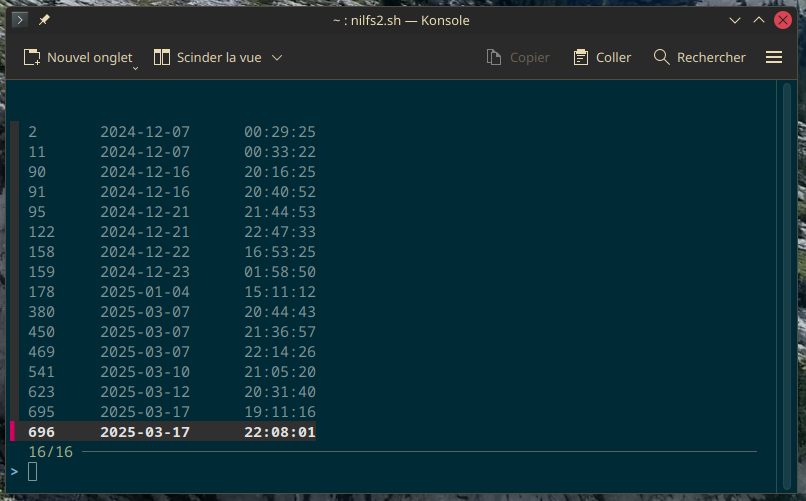
Choosing a snapshot to mount
Warning
I am not responsible for your files. A NILFS2 snapshot is not a backup: in the event of a filesystem corruption you could lose all your data including the snapshots.
Additionally, I would advise against making NILFS2 your root filesystem: like BRTFS, when it gets full it is not so easy to free some space. So you should only use it on an additional drive.